April 28, 2022
Prior to the API, we were using Notion in our ops (of course!) but it required periodically, manually importing student and sale data to our databases.
In addition, we were hosting our forms, and all the data collected by them, outside of Notion.
Having information spread across multiple tools meant that it was hard to interconnect certain pieces. Plus, regularly having to manually import data isn’t efficient and can lead to inaccuracies!
Within the first week after the beta API was launched, I was able to streamline our workflows and move all our operations to Notion and a few supporting tools.
Here are the key Notion databases and supporting tools and integrations that keep Notion Mastery operations running smoothly:
The student database is the “home base” for all student related data. Every person that registers for Notion Mastery has an entry in this database and any information collected that pertains to a student is connected to this entry. If anyone on our team is looking for student information, this is the place to start.
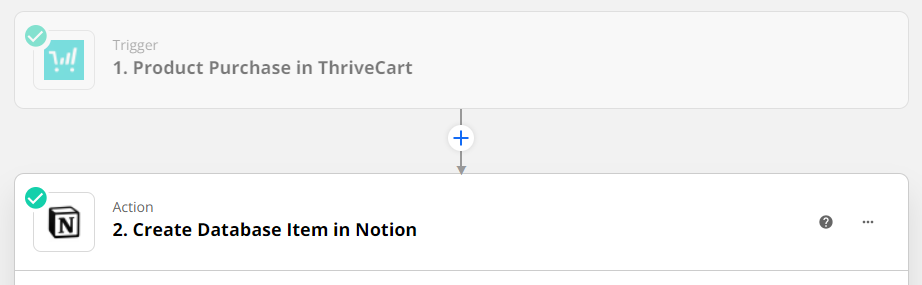
When someone purchases the course (we use Thrivecart for our cart and Stripe for payment processing), a Zap is activated that sends the student’s full name and email from Thrivecart, to the Student database in Notion.
From there, all sorts of information is related to that database entry over time, including information about any purchases they make and any forms or applications submitted by the student.
When possible, we add an image of the student to their entry in the student database (grabbed from their profile in our community hosted on Circle). With so many people in the course, it is nice to be able to put a face to a name!
I also occasionally use comments to document information on a student’s database entry. This is normally information that has been collected via email or Circle, that might be helpful to have at our fingertips in the future or help create context for my colleagues.
The sales database receives purchase data from Thrivecart, including the students’ name and email, the name of the product they purchased, the sale price, name of an affiliate (if applicable), and discount code (if used).
In this instance, we also use Zapier to send this data from Thrivecart, straight to Notion. As new students register, I relate their purchases in the sales database to their entry in the student database.

I’m often asked, “Why have a separate sales database? Why not send the sales data to the Student database?” and the answer is: having a separate sales database means you can track multiple purchases from one student, without past data being overridden.
This is helpful if: